5. Input and configuration (GUI/CLI)
This section documents Wake CFD’s configuration scope—mesh, physics, boundary conditions, and numerical methods. The GUI and CLI operate on the same project model; concepts are presented here once and apply to both interfaces.
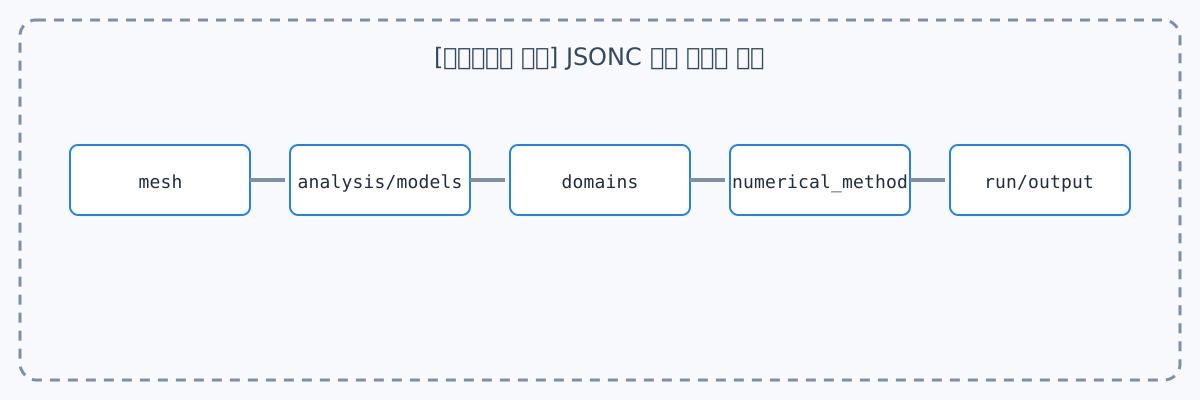
How to use this reference
Each topic is structured in the following order.
- What it is — The setting’s role in an analysis
- Configure in the GUI — Modal inputs and selection criteria
- Configure from the CLI — JSONC examples for batch, HPC, and automation
The GUI provides visual configuration and writes to the same JSONC project model. Screenshots show the corresponding Desktop editor, while the JSONC examples are the same settings consumed by the CLI, AI agents, and automation workflows. Some advanced or solver-specific keys are not yet exposed by the GUI; those keys remain available through JSONC and are identified on the relevant page. Values visible in a screenshot describe one configured case; they are not necessarily the solver defaults or a recommendation for every case.
Find a topic
| What to configure | Start here |
|---|---|
| Complete JSONC structure and required blocks | Input-file structure |
| Mesh files and zone/marker connections | Mesh, Domains and boundary conditions |
| Solver, steady/unsteady analysis, and dimension selection | Analysis |
| Euler, Navier–Stokes, and turbulence models | Physical models |
| Fluid and solid properties and equations of state | Materials |
| Force, moment, and coefficient-normalization reference values | Reference values |
| Fluid/solid regions and boundary conditions | Domains and boundary conditions |
| Periodic, mixing plane, frozen rotor, sliding mesh, GGI, or CHT interfaces | Interfaces |
| Schemes, linear solvers, CFL, and time integration | Numerical methods, Run control and convergence |
| Initial fields, restart, or expression-based initial conditions | Initialization |
| Residual, force, mass flow, and probe monitoring | Monitoring |
| Restart, volume, surface, and slice file outputs | File output |
| Reusing cases with inheritance, overlays, and patches | Running Wake CFD |